Visual Workflow for BVE Motor Sound Design

Design BVE motor sounds with visual precision.

A dedicated desktop environment for BVE motor sound creation. Map pitch and volume to speed through an intuitive curve editor and validate results with real-time feedback.

Latest release v1.0.0

Live
multi-state preview
.msep
unified project format
Rust
high-performance core
Motor Sound EditorProfessional Sound Authoring Suite
Workspace
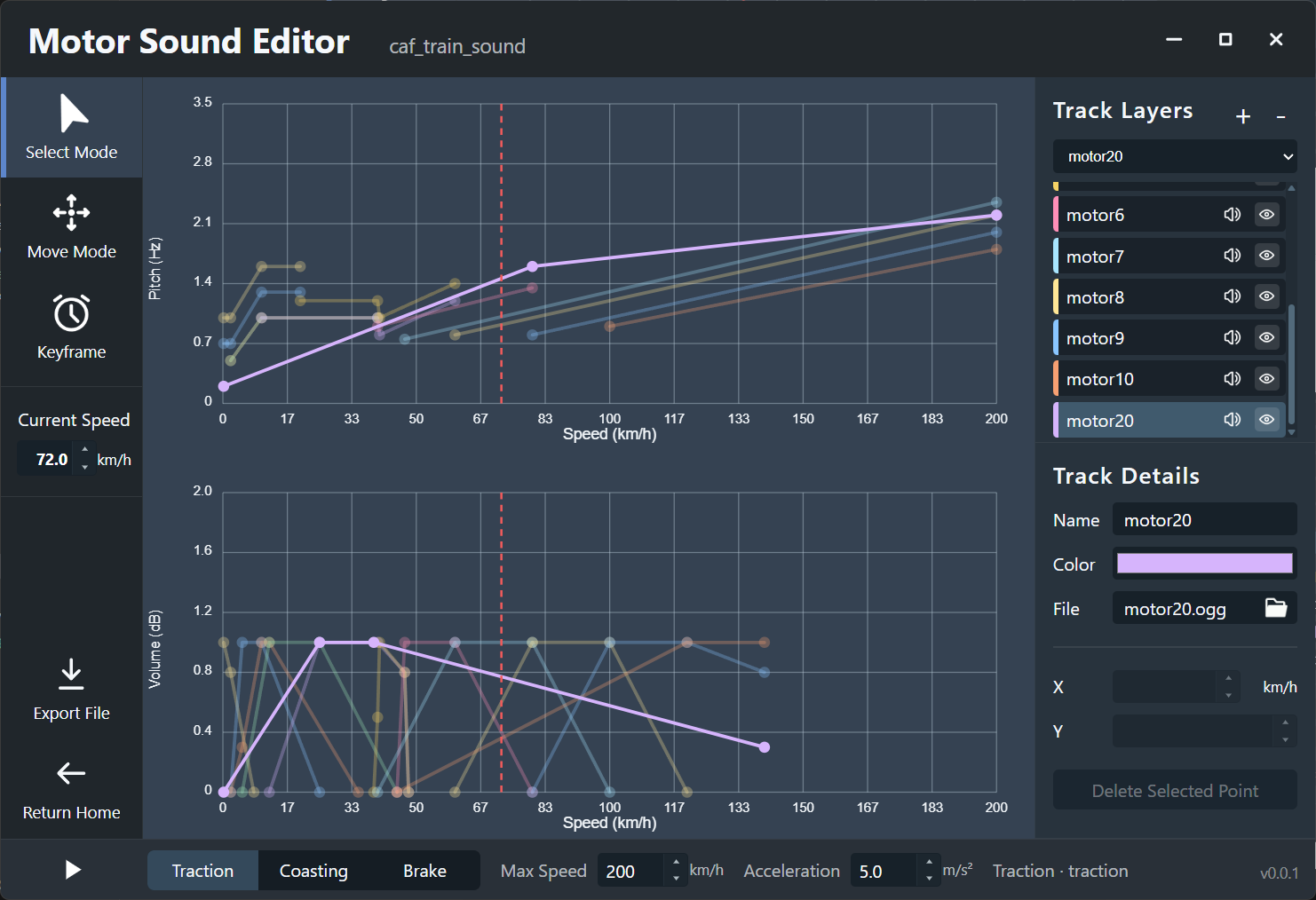
Motor Sound Editor editor workspace preview

The Problem

Less time in spreadsheets, more time on sound design.

BVE motor sound production shouldn't be a tedious process of manual CSV editing and repeated trial-and-error testing.

Legacy Method

Fragmented tools and slow feedback loops.

Editing raw CSV tables and managing scattered audio assets makes even small adjustments time-consuming and prone to errors.

0.2,1,0.7,,,,,,,,,,,,,,,,,,,0.22,1,0.7,0.5,0.5,,,,,,,,,,,,,,,,,10,1.6,1.3,1,1,1,,,,,,,,,,,,,,,,20,1.6,1.3,,,,1.2,,,,,,,,,,,,,,,
  • Manual table entry
  • Disconnected assets
  • In-game testing required
The Editor

A unified, visual workspace for sound modders.

Define behavior through speed-based curves, switch train states instantly, and hear the results immediately within the editor.

  • Visual curve mapping
  • Instant state switching
  • Integrated export flow

Core Features

Tools built for professional simulator standards.

Every feature is designed to streamline the transition from raw samples to a functional BVE sound package.

Visual Curve Editor

Directly manipulate pitch and volume keyframes on a speed-based graph. No more manual coordinate entry.

Multi-State Preview

Audit Traction, Coast, and Brake states seamlessly. Test how layers blend as you adjust the speed slider.

Native Performance

Powered by Rust and Tauri for a responsive, lightweight experience that handles complex projects with ease.

Automated Export

Generate standardized BVE-ready files with one click, ensuring consistent project structure and asset naming.

Interface

An interface designed for clarity and focus.

From project management to detailed curve editing, the workspace is optimized for the motor sound authoring workflow.

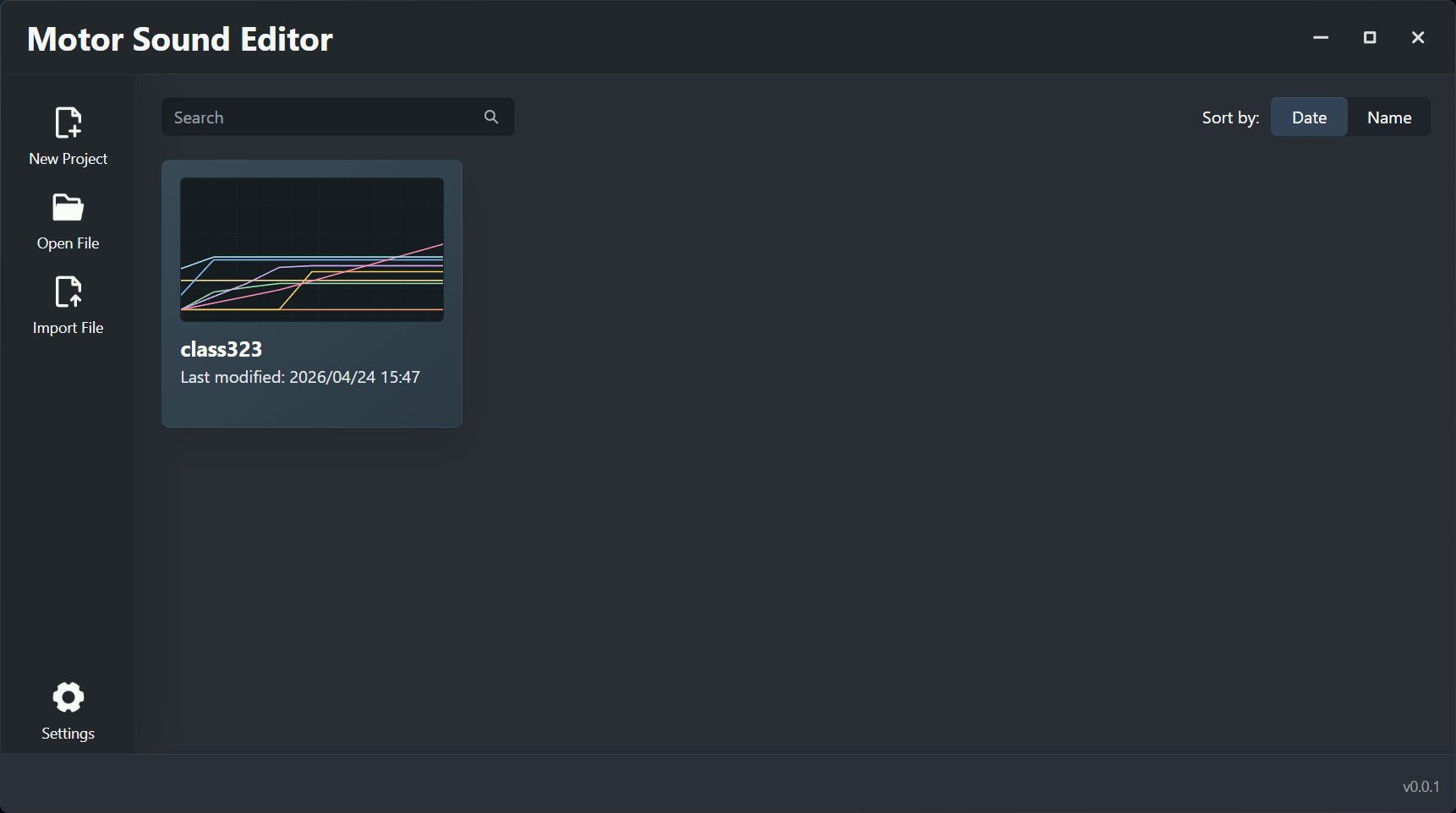
Project Gallery

Centralized Management

Quickly access recent projects, manage metadata, and keep your workspace organized.

Project gallery view
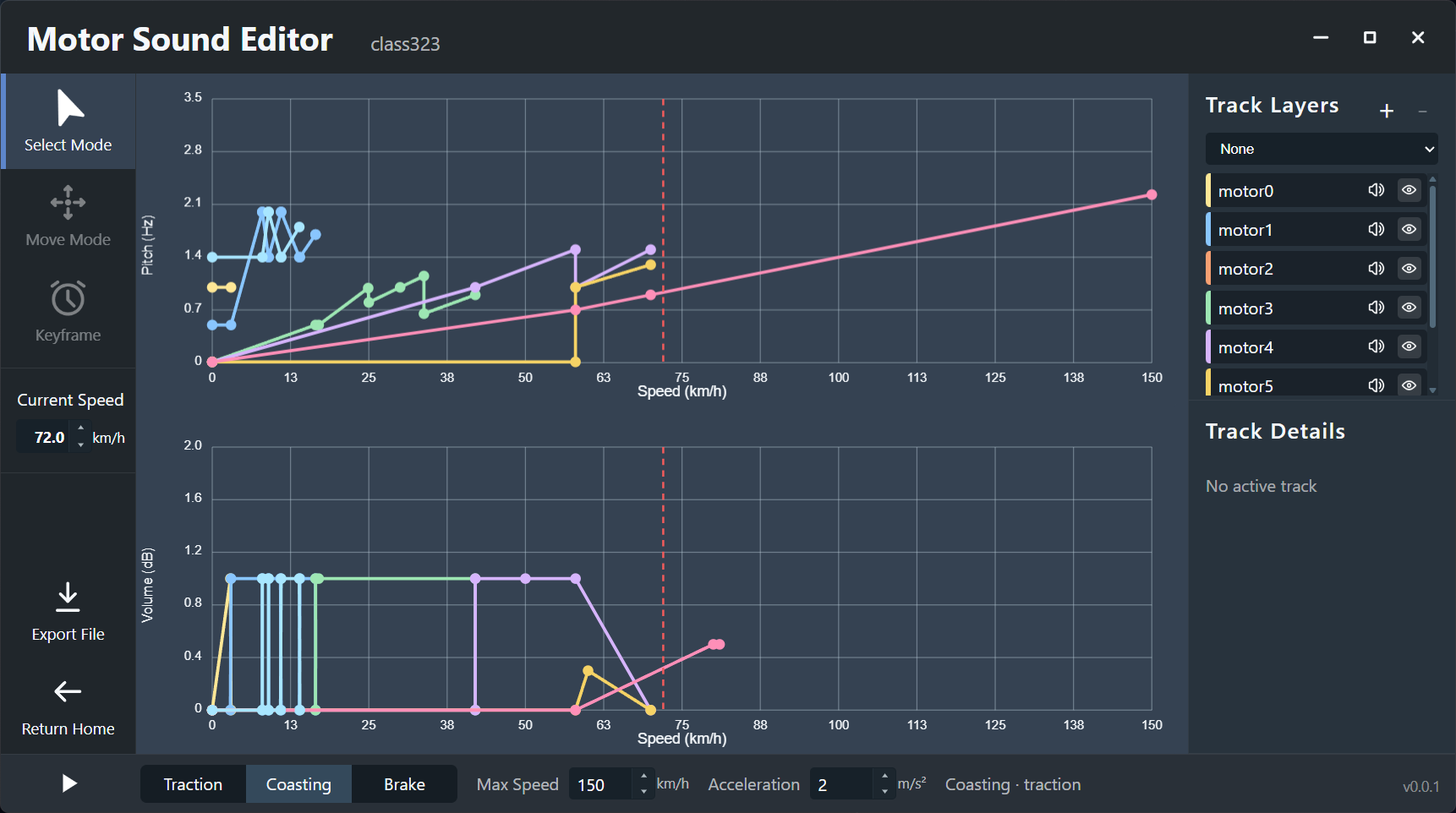
Editor Workspace

Precise Control

Toggle between states, manage track layers, and refine curves in a single, cohesive view.

Editor workspace view

Workflow

From raw audio to final package.

A structured process that keeps you focused on the creative aspects of sound design.

01

Initialize Project

Set up your workspace and import source audio into a structured .msep project container.

02

Map Behavior

Draw keyframes to define how sounds respond to speed changes across different drive states.

03

Validate Live

Use the internal transport controls to simulate train behavior and audit sound transitions.

04

Package & Export

Export a fully formatted BVE motor sound set ready for immediate use in the simulator.

Architecture

A reliable foundation for project integrity.

Combining high-performance native code with a portable project format designed for long-term maintenance.

Visual-First Design

Replaces text-based configuration with intuitive graphical editing.

Unified Project Format

The .msep container bundles data, curves, and audio to prevent broken file links.

Desktop Optimized

A fast, native application built for stability and precision.

.msepContainer Format

All project assets in one place.

The .msep format ensures that curves, track settings, and audio files stay synchronized, making sharing and archiving effortless.

Get Started

Modernize your BVE sound design workflow today.

Download the latest release for Windows or explore the documentation to learn more.