
Interface Overview
Motor Sound Editor separates project management from project editing on purpose. The workflow becomes easier to understand when you treat the app as two main spaces: the Home screen for managing projects, and the editor for shaping sound.
Home: project lifecycle management
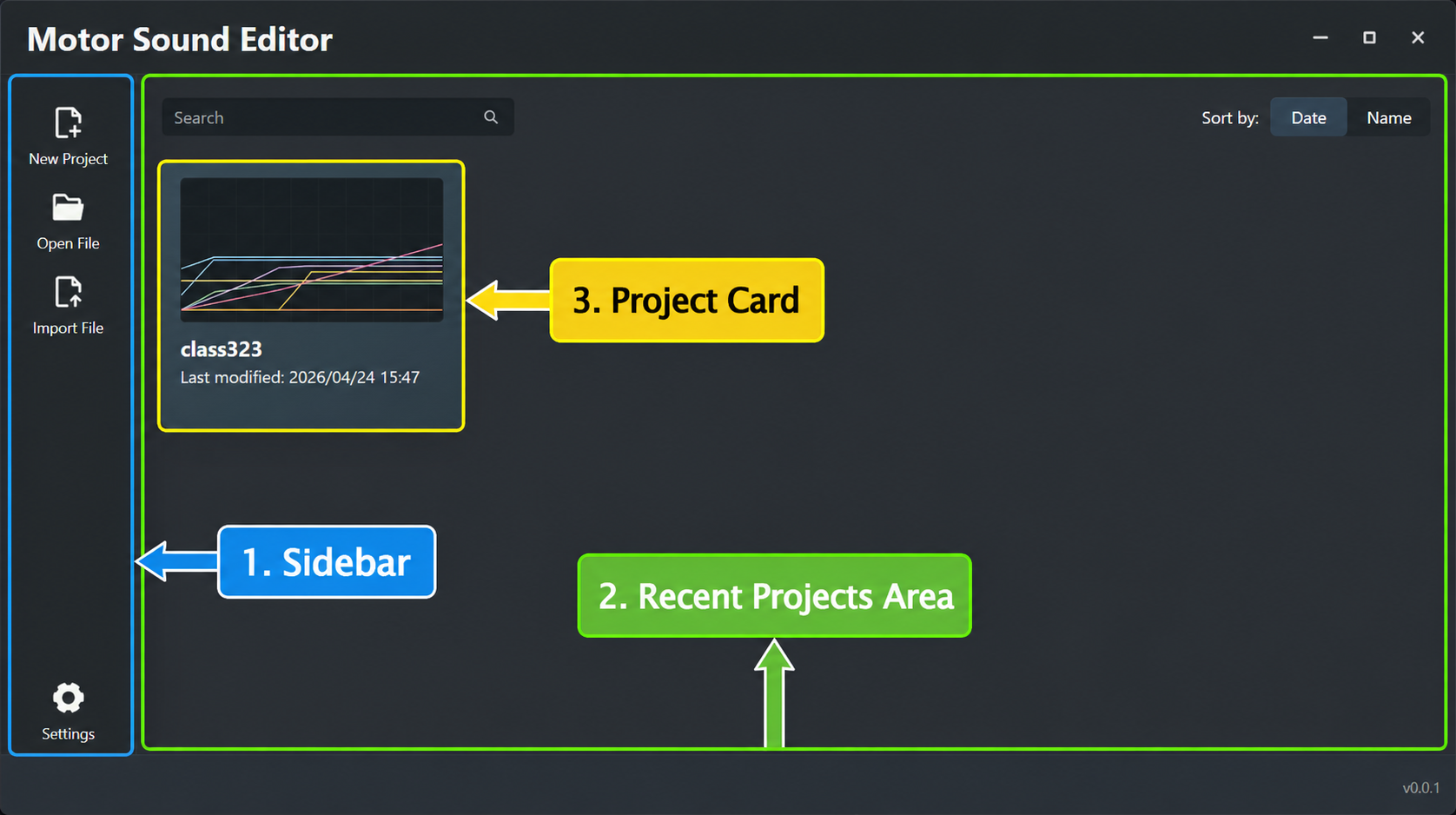
The Home screen is the starting point of the workflow. It is mainly responsible for:
- Project indexing: finding and reopening existing projects quickly.
- Asset routing: creating, importing, and opening project files.
- Recent-project management: organizing current work through search, sorting, and preview cards.
Editor Workspace: parameter editing and preview
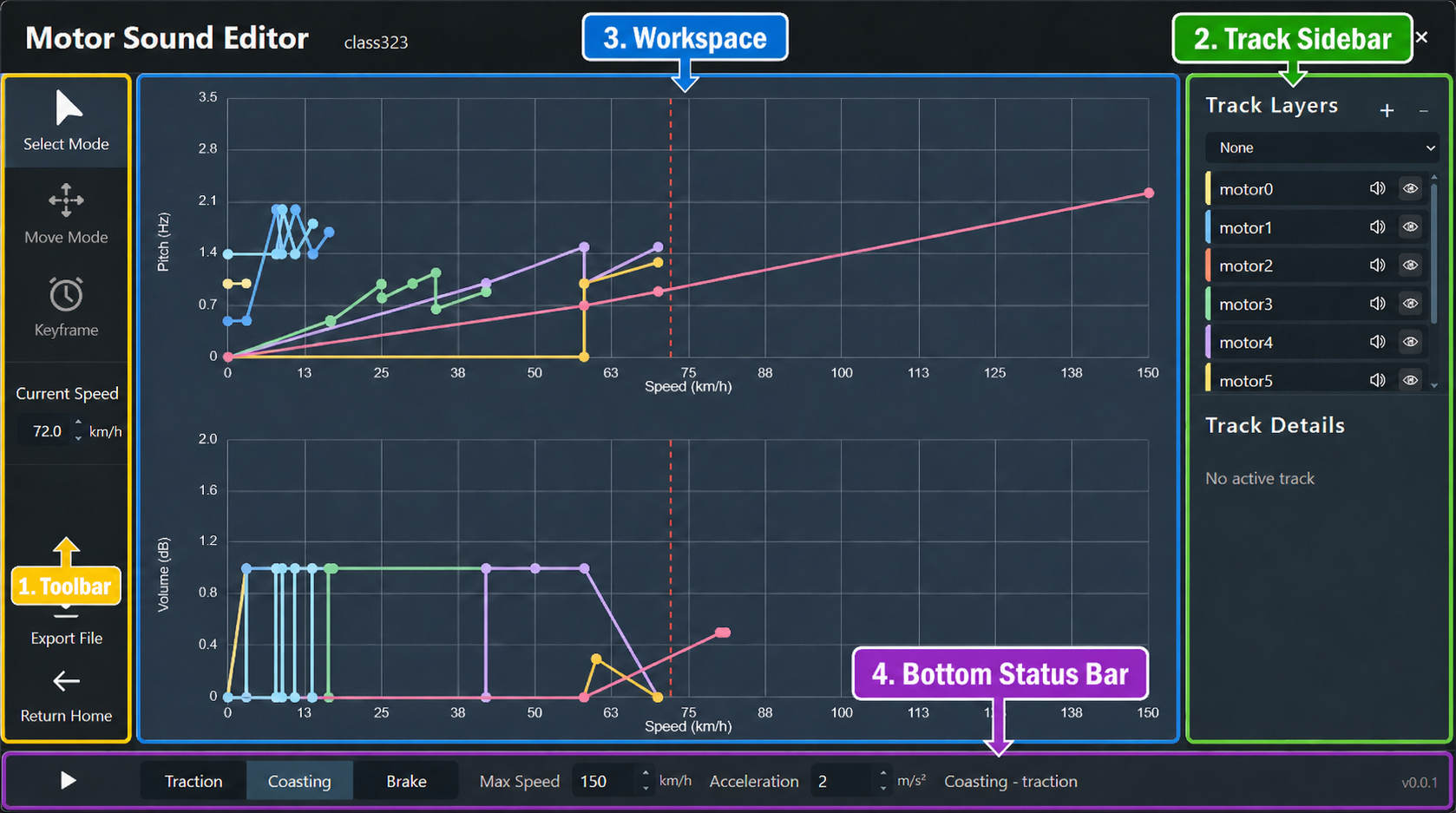
The editor workspace is the core of the product. It focuses on:
- Layer control: making the active track layer and its audio resource clear.
- Real-time preview: auditioning pitch and volume behavior at different speeds and simulator states.
- Data editing: adding, moving, deleting, and fine-tuning keyframes.
Recommended reading
After this page, continue with: